

Creating a Bitcoin Transaction Using bitcoin-cli and Maestro APIsThis guide covers the steps to create a Bitcoin transaction using bitcoin-cli on Testnet4 Blockchain and Maestro APIs. We will generate a testnet4 Bitcoin address, transfer funds to our address, create a raw transaction, calculate fees using Maestro API, sign the transaction, and broadcast it to the Bitcoin network via Maestro API.
Prerequisites
- A running Bitcoin Core node with bitcoin-cli access. See Setup Bitcoin Node guide in order to run a testnet4 bitcoin node and install bitcoin-cli.
- Maestro API credentials for retrieving transaction fees and broadcasting transactions. See Getting Started guide in order to create a free Maestro Account.
Submit a Bitcoin Transaction
1
Step 1: Create a new Wallet and Generate a New Bitcoin Address
To receive Bitcoin, First, you will need to create a new wallet and then generate a new address using bitcoin-cli. Open CMD on Windows or Terminal on Linux and navigate to the bitcoin daemon folder and run the commands below:The first command returns a newly generated Bitcoin wallet.The second command creates a new address in that wallet which you can use as the recipient or sender in transactions.
2
Step 2: Get tBTC or Test Bitcoin (UTXOs)
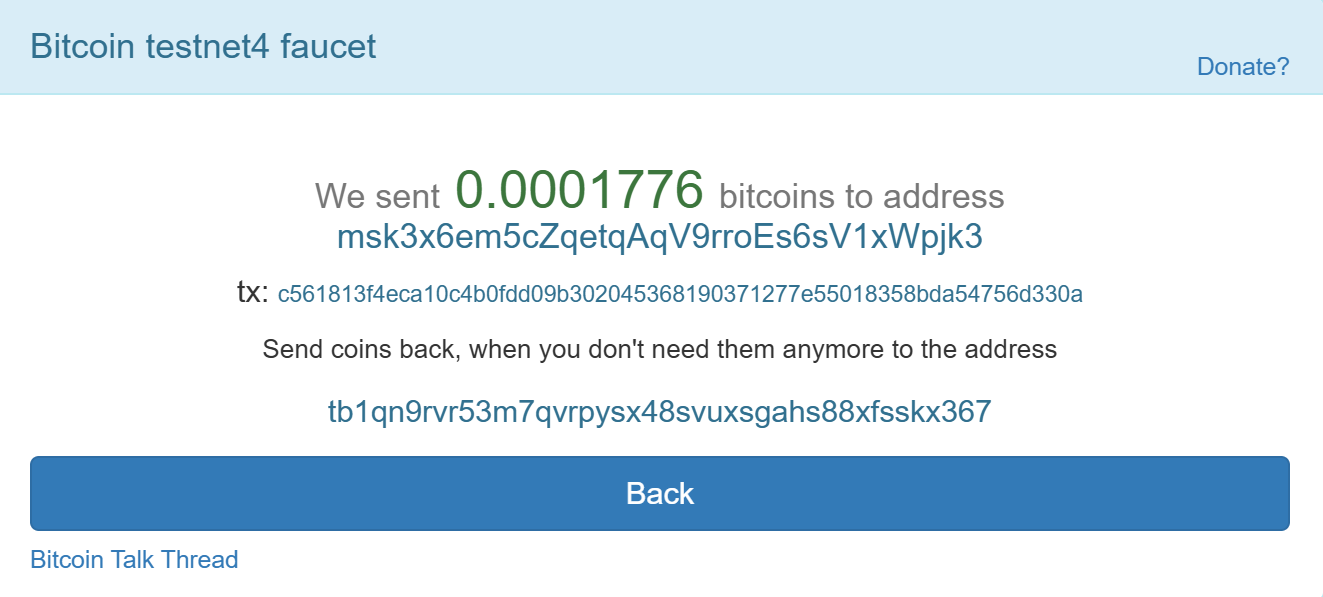
To create a Bitcoin transaction, our wallet must have funds stored as UTXOs (Unspent Transaction Outputs).We’ll receive Test Bitcoin (tBTC) from the Testnet4 Faucet to Address1. This test bitcoin (not real BTC) will be used as UTXO to send funds to another address on the Testnet4 blockchain.Go to CoinFaucet website and enter your bitcoin testnet4 address in order to receive test bitcoin.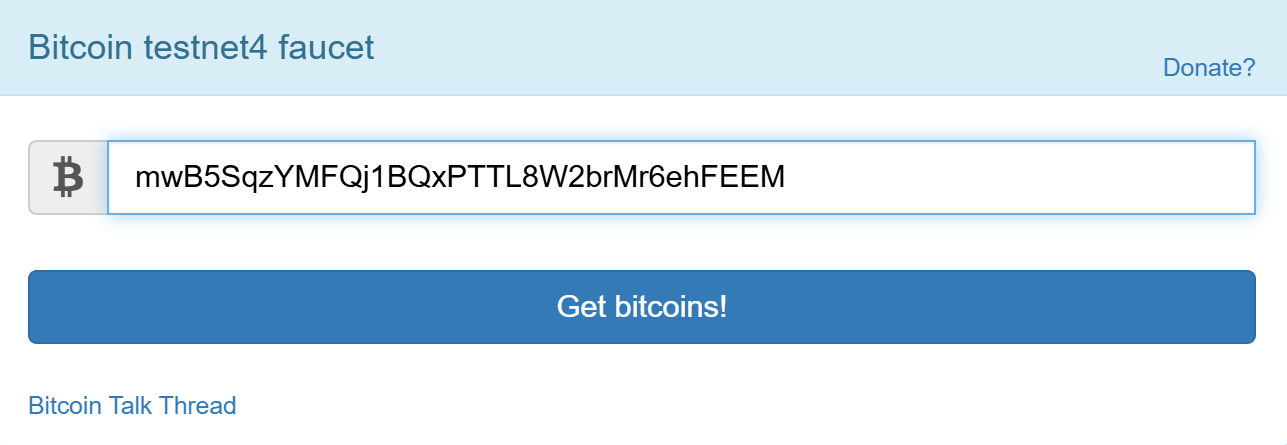
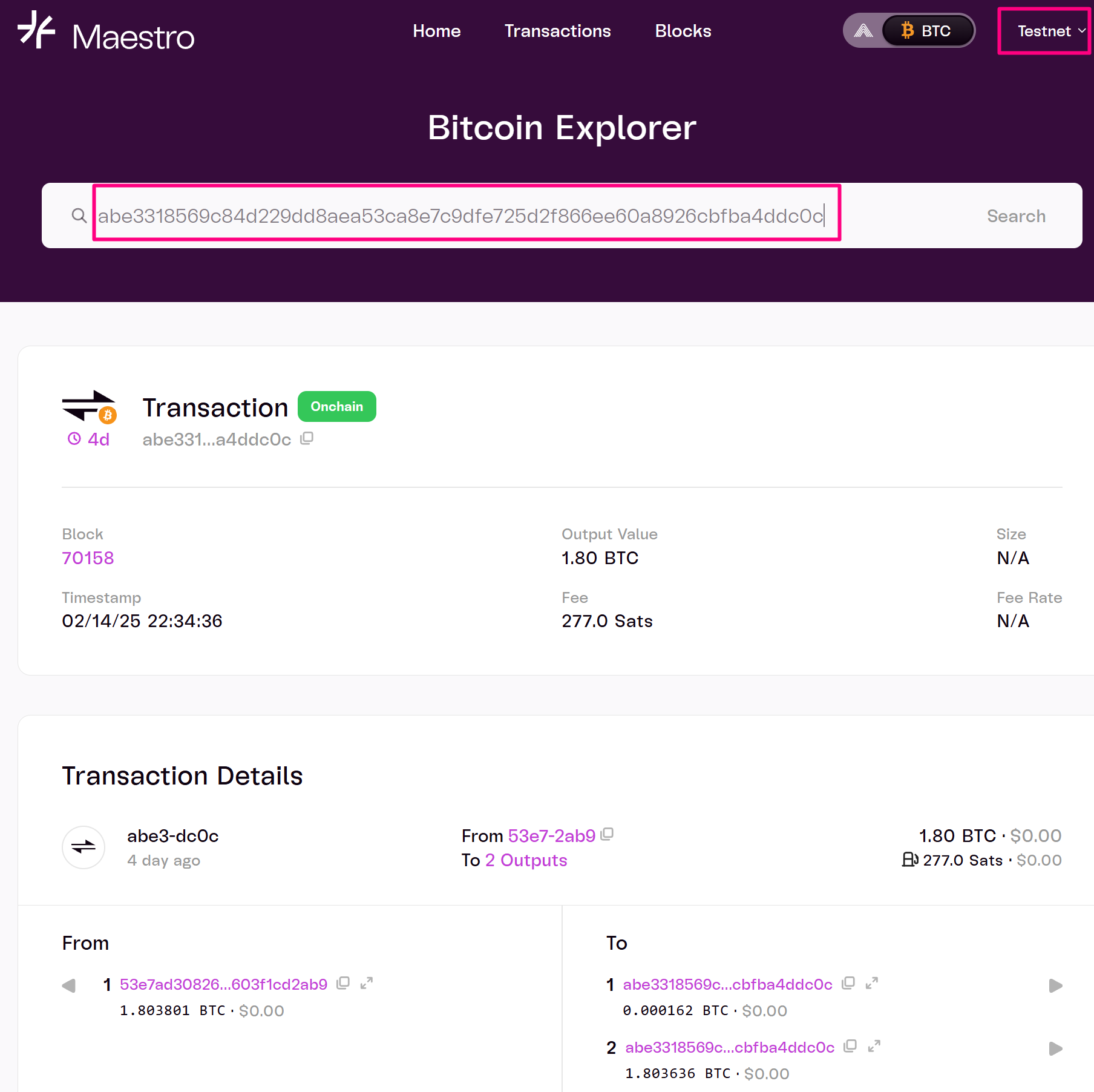
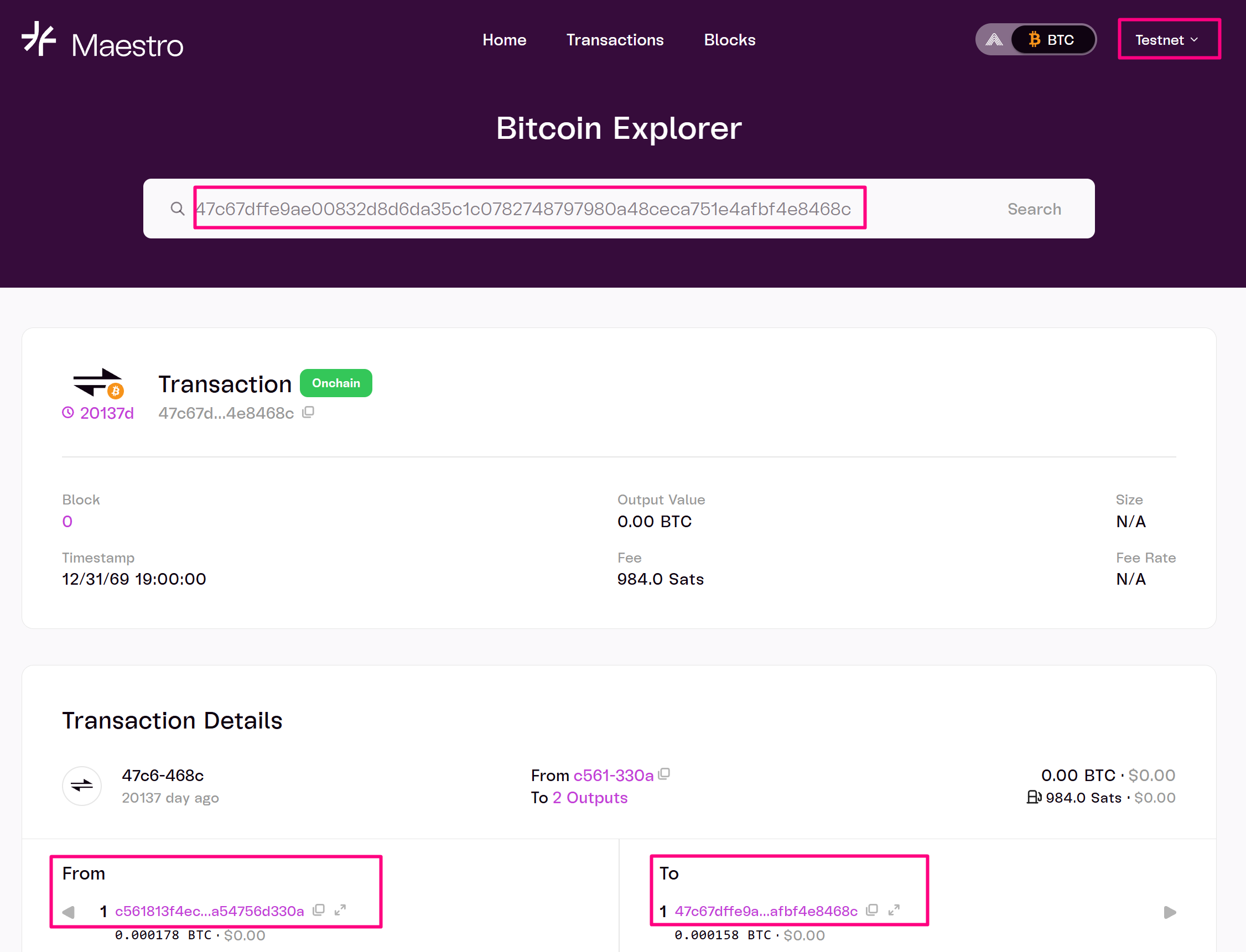
abe3318569c84d229dd8aea53ca8e7c9dfe725d2f866ee60a8926cbfba4ddc0cMaestro Bitcoin ExplorerYou can lookup the transaction by visiting explorer.gomaestro.org and entering the transaction id (txid).https://explorer.gomaestro.org/bitcoin/testnet/transactions/abe3318569c84d229dd8aea53ca8e7c9dfe725d2f866ee60a8926cbfba4ddc0c3
Step 3: Get Unspent Transaction Outputs (UTXOs)
In Step 2, we received 0.0001776 tBTC. The Bitcoin Faucet generated a transaction with two UTXO outputs. One of these UTXOs was assigned to our address as an output of that transaction, making it available as an input for future transactions. Refer to the screenshot below.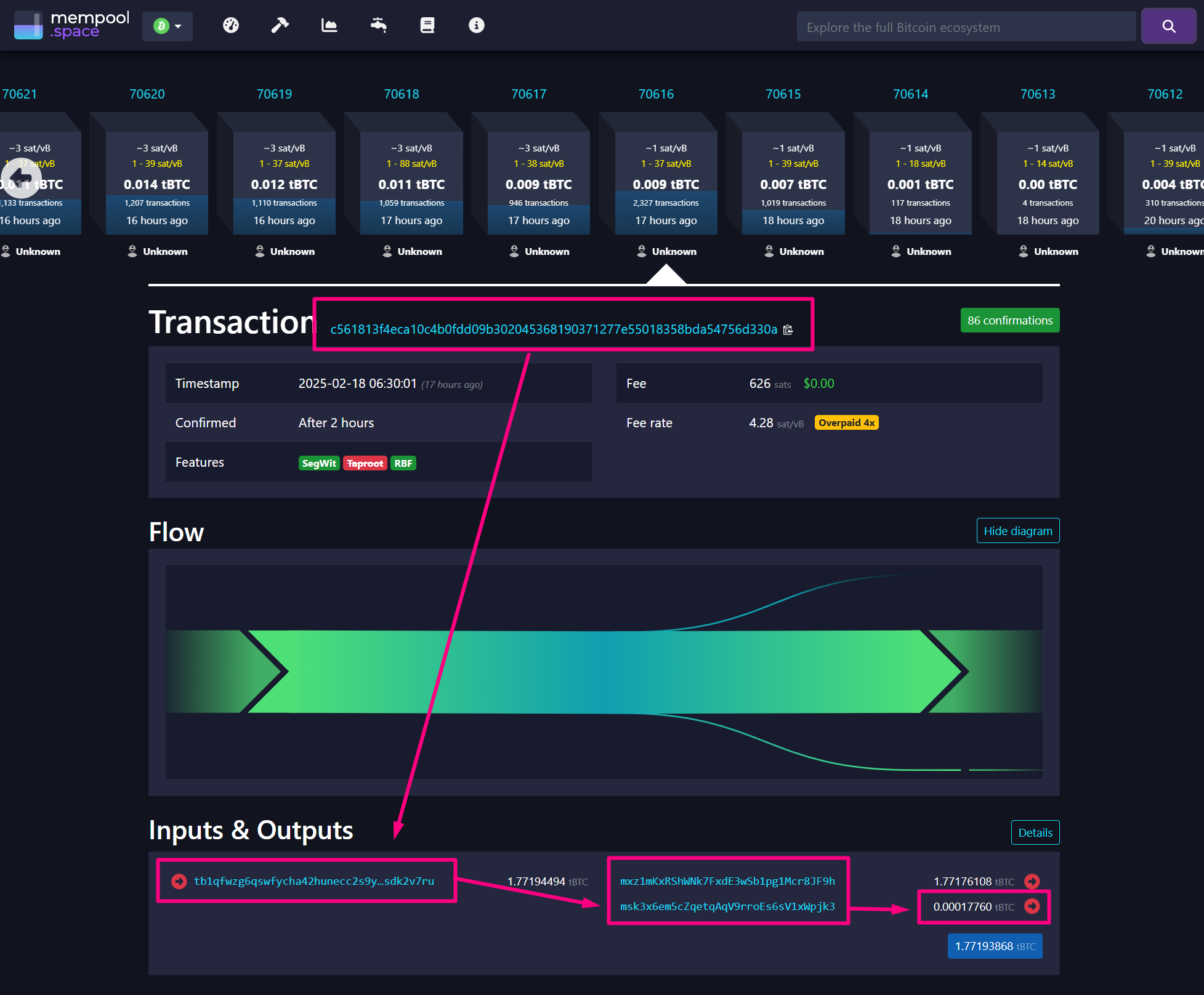
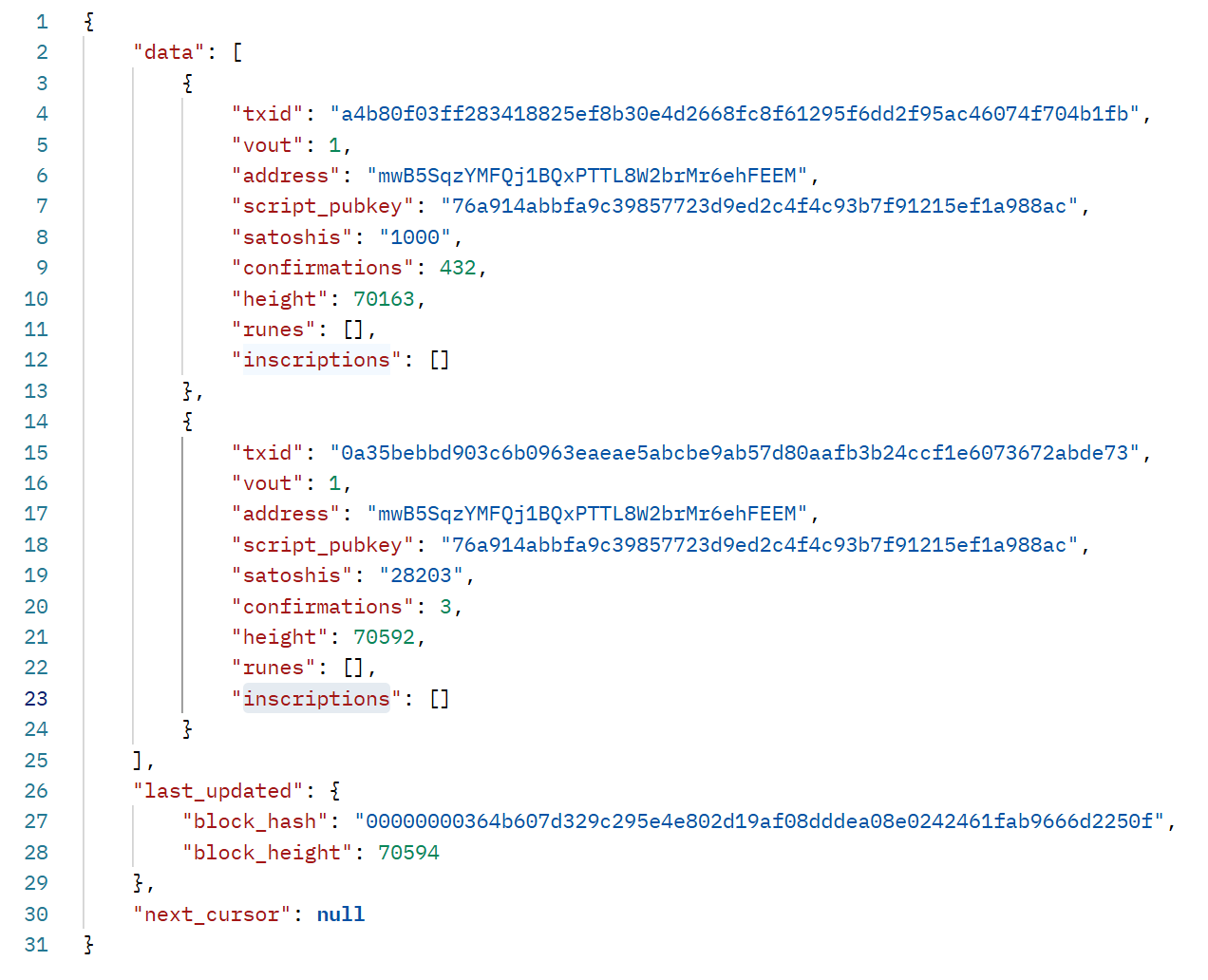
"txid": "a4b80f03ff283418825ef8b30e4d2668fc8f61295f6dd2f95ac46074f704b1fb"vout (Output Index):
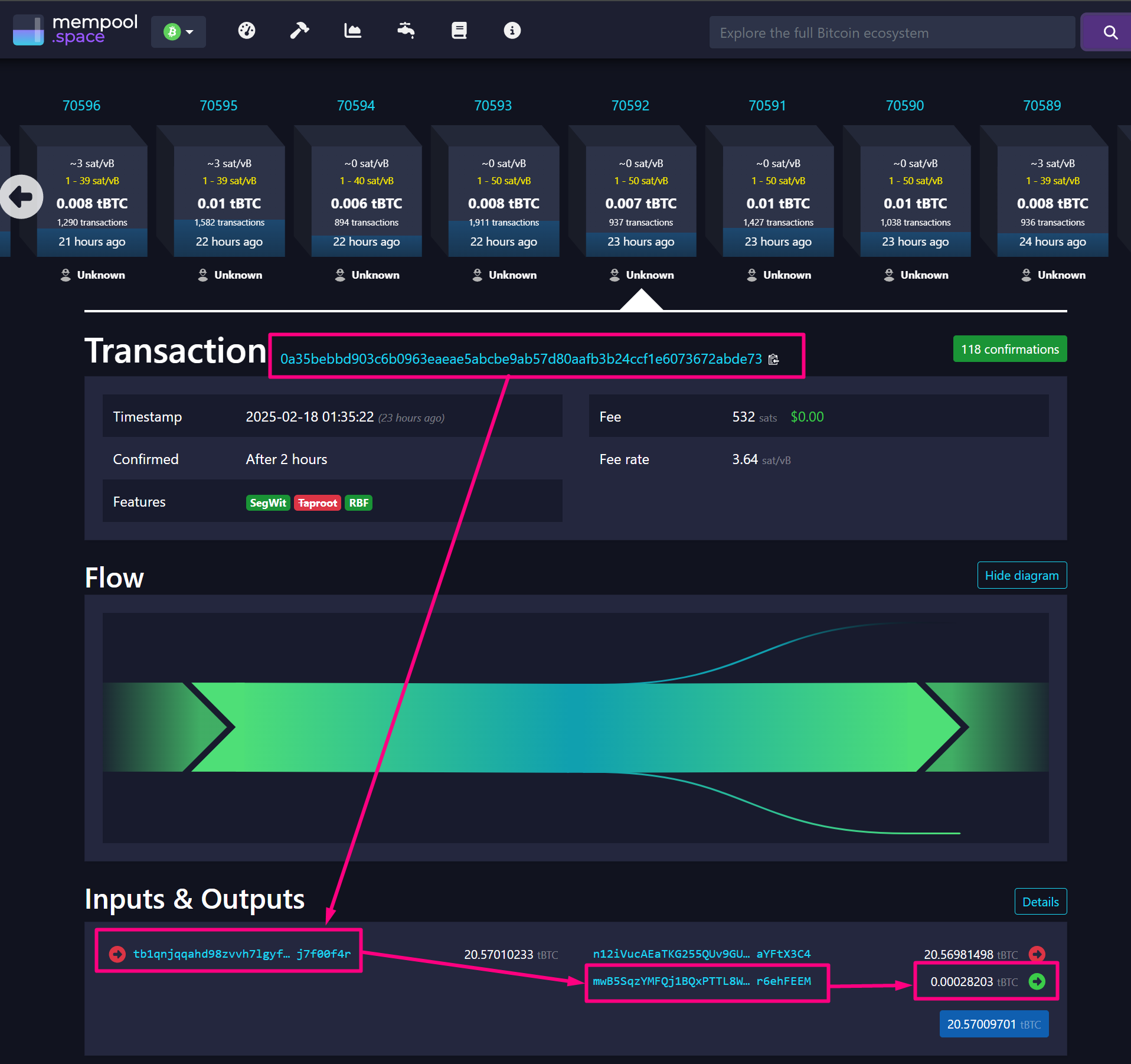
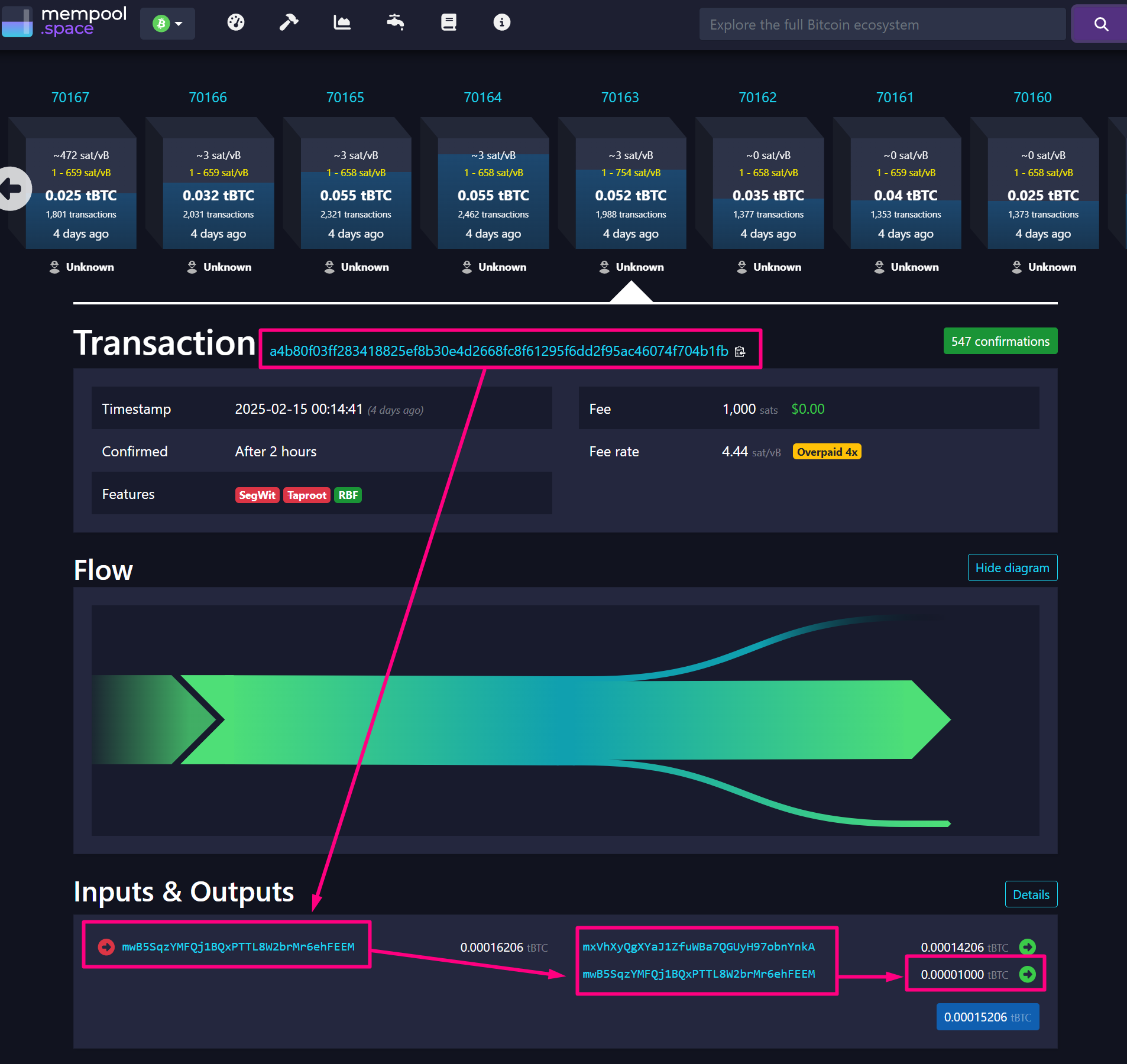
The index of this specific output in the transaction.A Bitcoin transaction can have multiple outputs, and vout specifies which output is being referenced."vout" : 1 means this is the second output (indexes start at 0).Together, txid and vout uniquely identify a UTXO, which can be spent in a future transaction.Each Transaction Creates OutputsEach Bitcoin transaction can create multiple outputs. The vout index refers to the specific output within that transaction."txid": "a4b80f03ff28..."has an output at vout: 1."txid": "0a35bebbd903..."also has an output at vout: 1.
txid corresponds to a different transaction, but both have at least two outputs (one at index 0 and another at index 1).In our case each UTXO Comes from a Different TransactionEven though both UTXOs belong to the same address (mwB5SqzYMFQj1BQxPTTL8W2brMr6ehFEEM), they originate from separate transactions, making their combination of txid and vout unique.in the screenshot below we can witness that "txid": "0a35bebbd903..." has two outputs and one of them, with the vout:1 for that transaction, was an input UTXO to our address.txid: "0a35bebbd903..." has two outputs. One of them, with index vout:1, became an input UTXO for our address when funds were spent in a new transaction. The remaining change from the transaction was sent back to our address. Refer to the screenshot below.txid and vout. Since each txid is different, these are two separate UTXOs, even though both have vout: 1.This returns a list of UTXOs available for spending. Identify the UTXO’s txid and vout to use in the next step.4
Step 4: Create a Second Bitcoin Testnet Address
Let’s generate a second address on Bitcoin Testnet Blockchain and create UTXO to send tBTC from Address1 to Address2
-

- Let’s create a Raw transaction using bitcoin-cli command
5
Step 5: Create a Raw Transaction
Use the UTXO details to create a raw transaction. Replace placeholders with actual values:
UTXO_TXID: The transaction ID of the unspent output.UTXO_VOUT: The output index of the UTXO.RECIPIENT_ADDRESS: The address receiving Bitcoin.AMOUNT: The amount (in BTC) to send.CHANGE_ADDRESS: Your change address for receiving remaining funds.CHANGE_AMOUNT: The remaining balance after subtracting the transaction fee.
createrawtransaction- Creates a raw Bitcoin transaction without signing or broadcasting it.- First argument
[\{"txid":"...","vout":1 }]– Specifies the transaction input:- txid is the transaction ID from which the UTXO is being spent.
- vout specifies the output index (1 in this case) from the previous transaction, meaning we are using the second output as an input.
- Second argument
{"mxVhXyQgXYaJ1ZfuWBa7QGUyH97obnYnkA":0.00015206, "mwB5SqzYMFQj1BQxPTTL8W2brMr6ehFEEM":0.00001}– Defines the outputs:- Sends 0.00015206 tBTC to address
mxVhXyQgXYaJ1ZfuWBa7QGUyH97obnYnkA. - Sends 0.00001 tBTC to address
mwB5SqzYMFQj1BQxPTTL8W2brMr6ehFEEM.
- Sends 0.00015206 tBTC to address
-

6
Step 6: Calculate Transaction Fee Using Maestro
Maestro has two APIs that you can use to calculate estimated fees and the minimum, median, and maximum fee rates for a transaction to be verified on a block.Use Maestro’s API to get the recommended fee rate:This API returns an estimate fee rate for 6 transaction verifications. Select a fee rate and adjust the 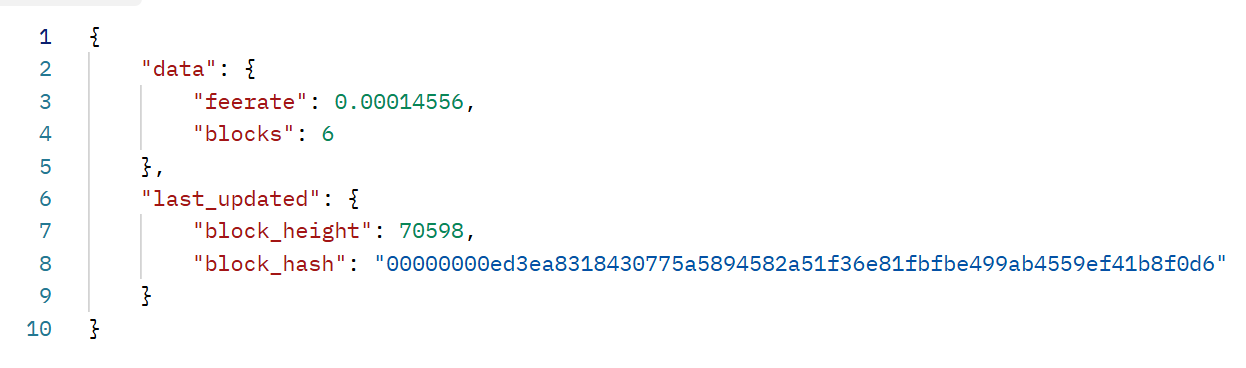
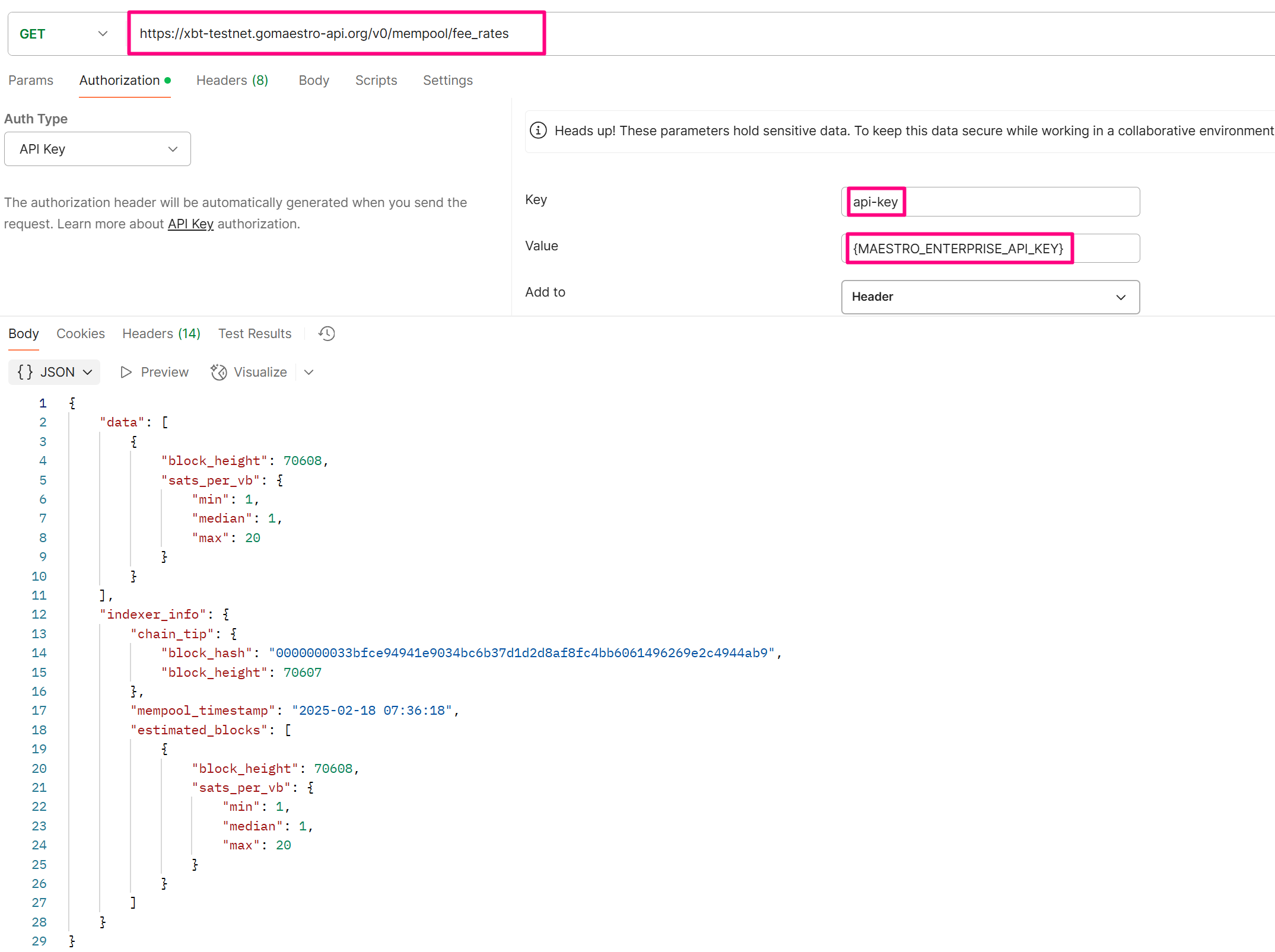
CHANGE_AMOUNT accordingly. See Mempool Block Fee Rates Maestro API DocumentationCHANGE_AMOUNT accordingly. See Mempool Block Fee Rates Maestro API Documentation.block_height: The height (or index) of the block on the blockchain. In this case, it’s block number 70608.sats_per_vb(Satoshis per virtual byte): This shows the estimated fee rate in (sats/vbyte), which is used for calculating transaction fees.
chain_tip: The latest block in the blockchain that is known by the indexer. It provides the block hash and the block height of the latest confirmed block.block_hash: The hash of the latest block in the chain.block_height: The height of the latest block in the blockchain.mempool_timestamp: The timestamp of when the data related to the mempool was recorded. The mempool holds unconfirmed transactions waiting to be included in a block.estimated_blocks: The predicted next block and its fee structure.
7
Step 7: Sign the Transaction
(hex) ready for broadcasting.
8
Step 8: Verify the Signed Transaction
To check if the transaction is valid before broadcasting run the command below:If the command is valid and you provide a valid signed transaction (
SIGNED_TX_HEX), it will return a JSON response where you can find the key-value pair - "allowed":true indicating whether the transaction would be accepted into the mempool or not.9
Step 9: Broadcast the Transaction Using Maestro API
Use Maestro’s API to push the transaction to the Bitcoin network:If successful, the response includes the transaction ID.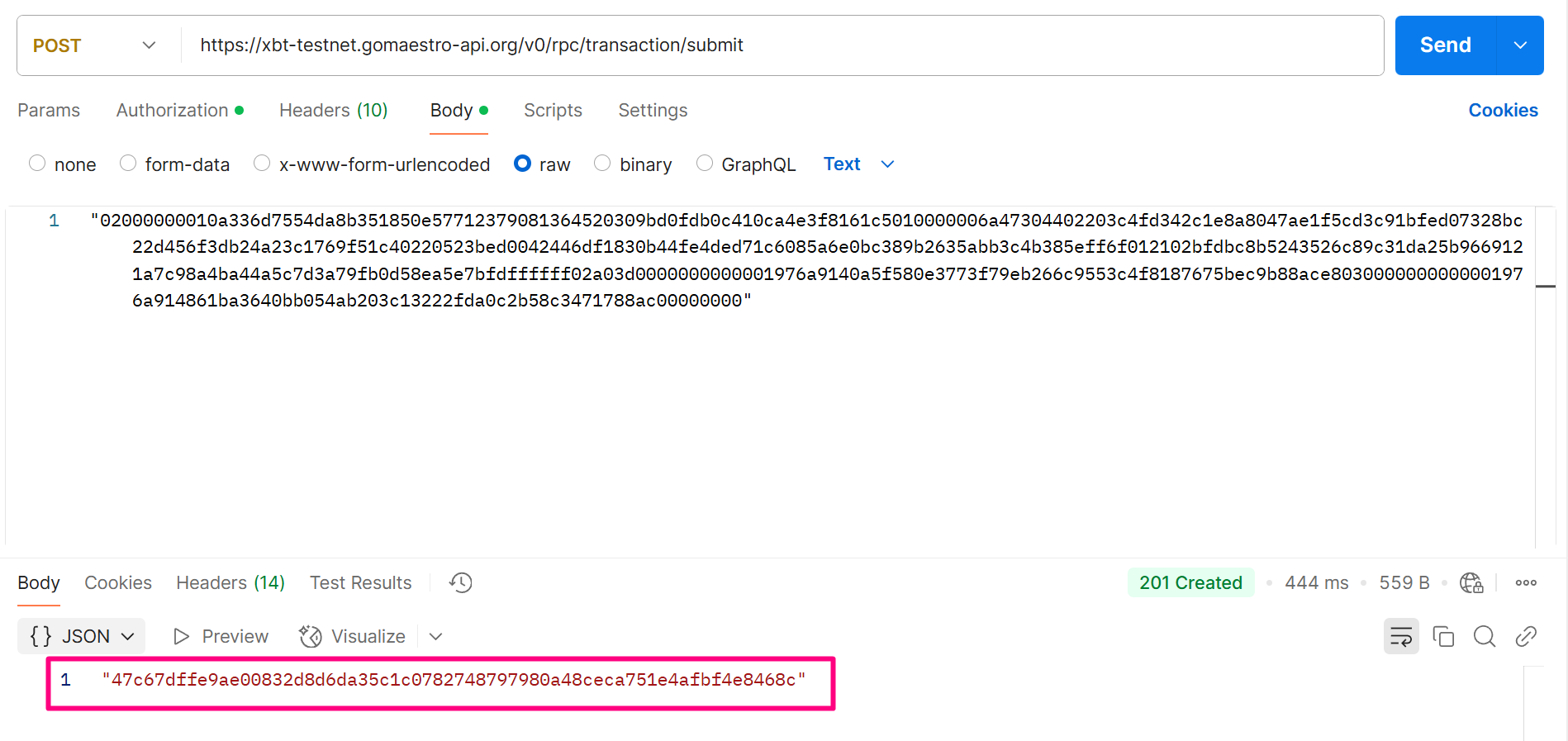
10
Step 10: Monitor the Transaction in the Mempool using Maestro
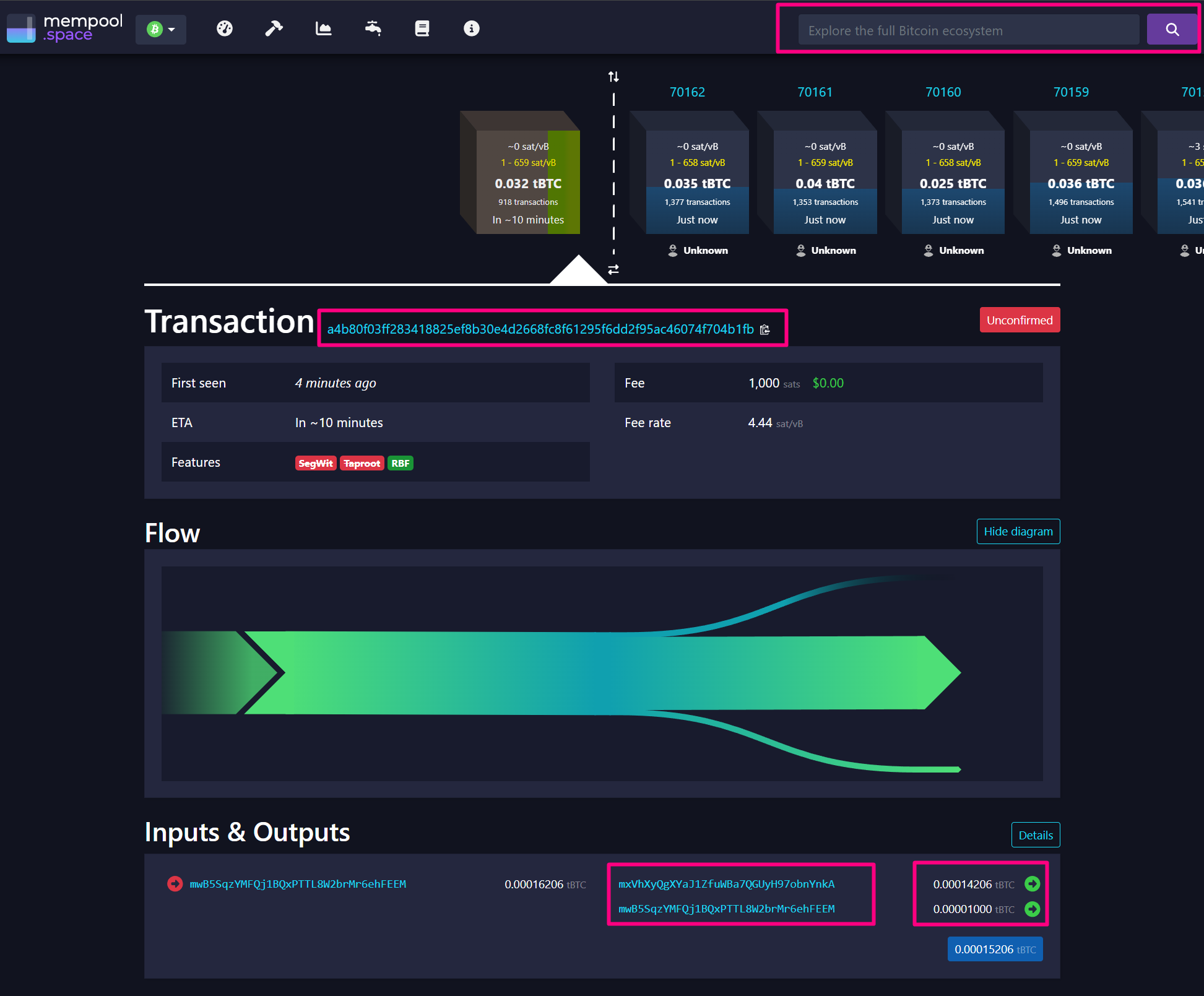
Use Mempool UTXO by Address API in order to monitor the broadcasted transaction.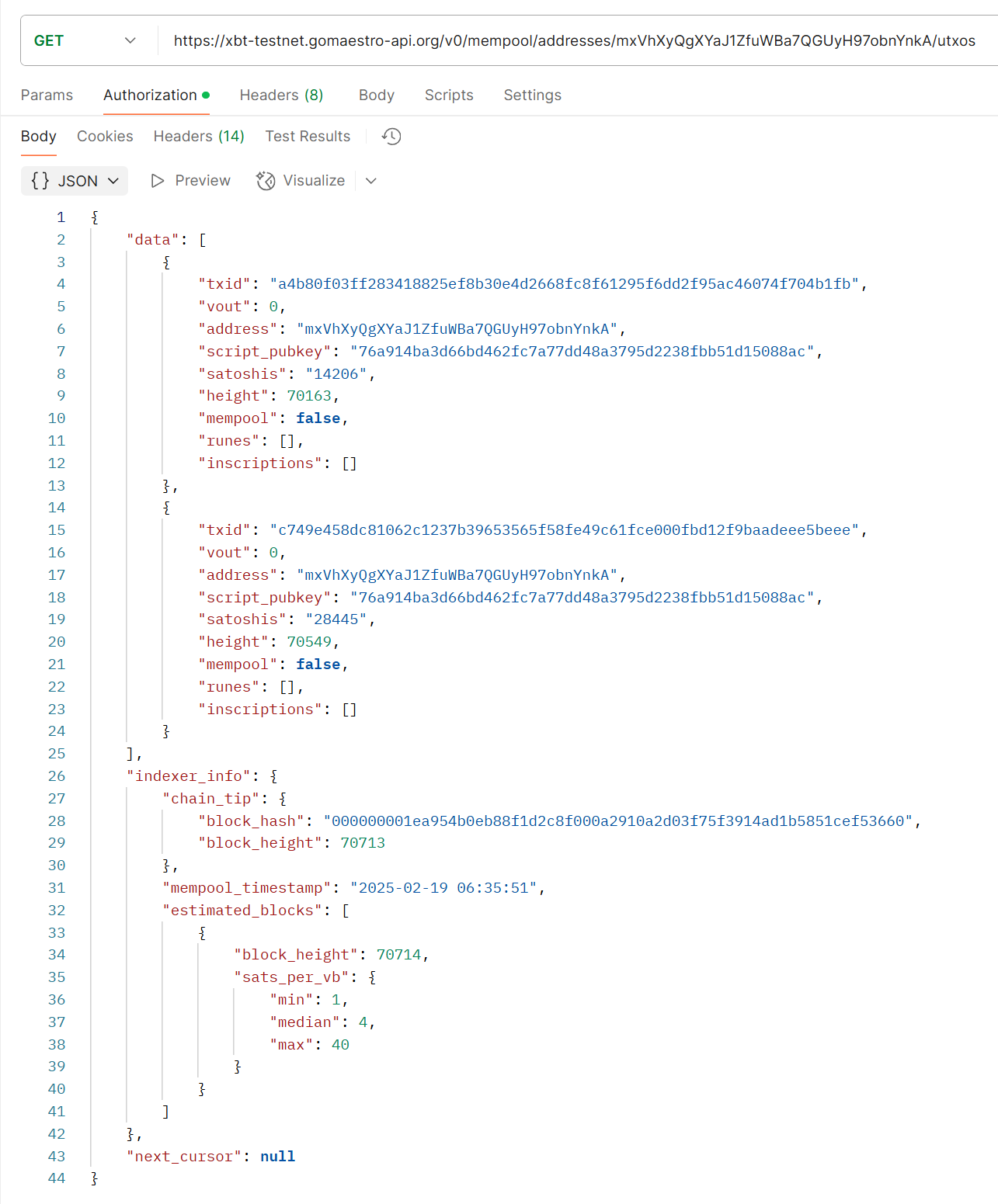
11
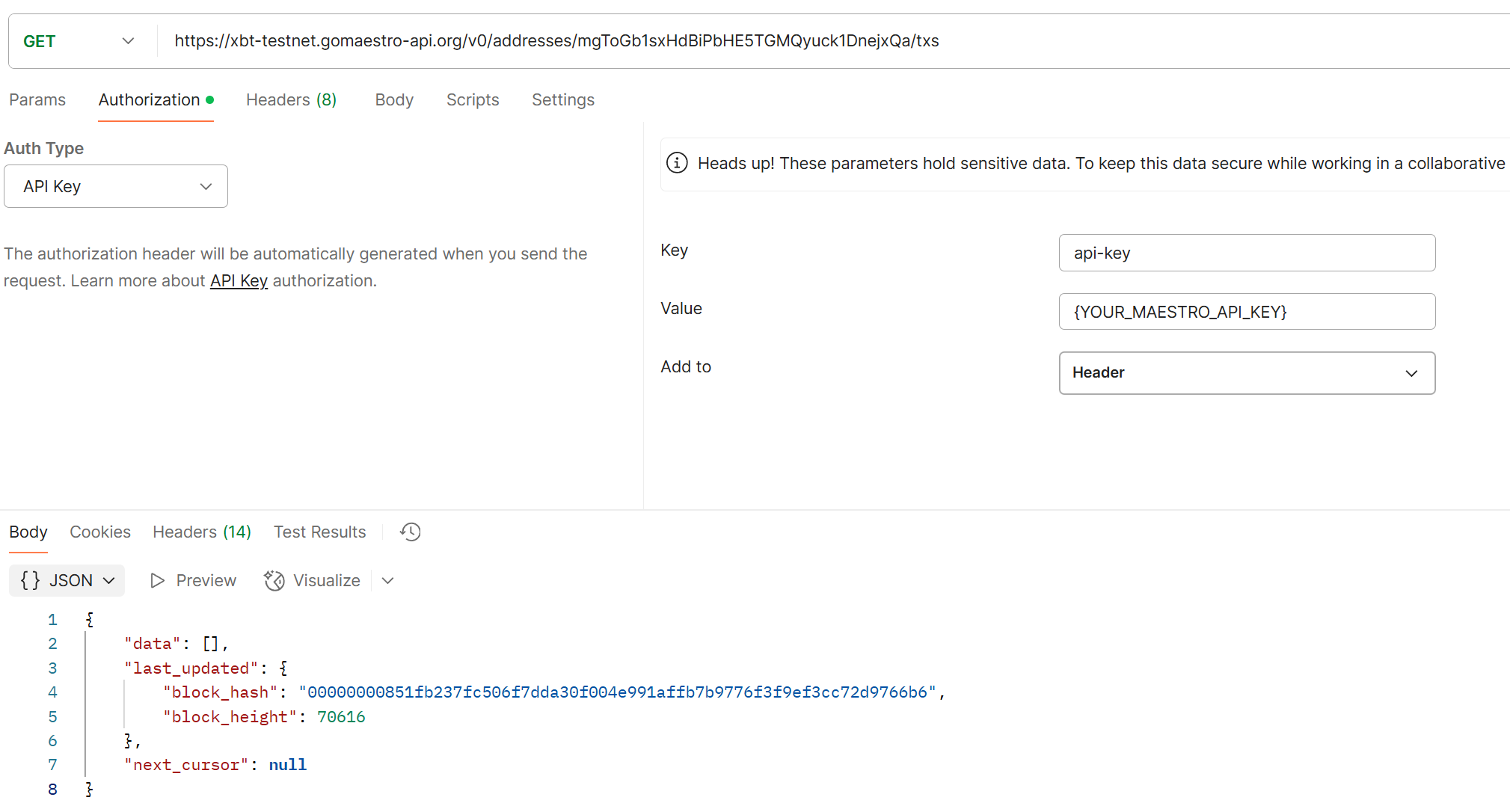
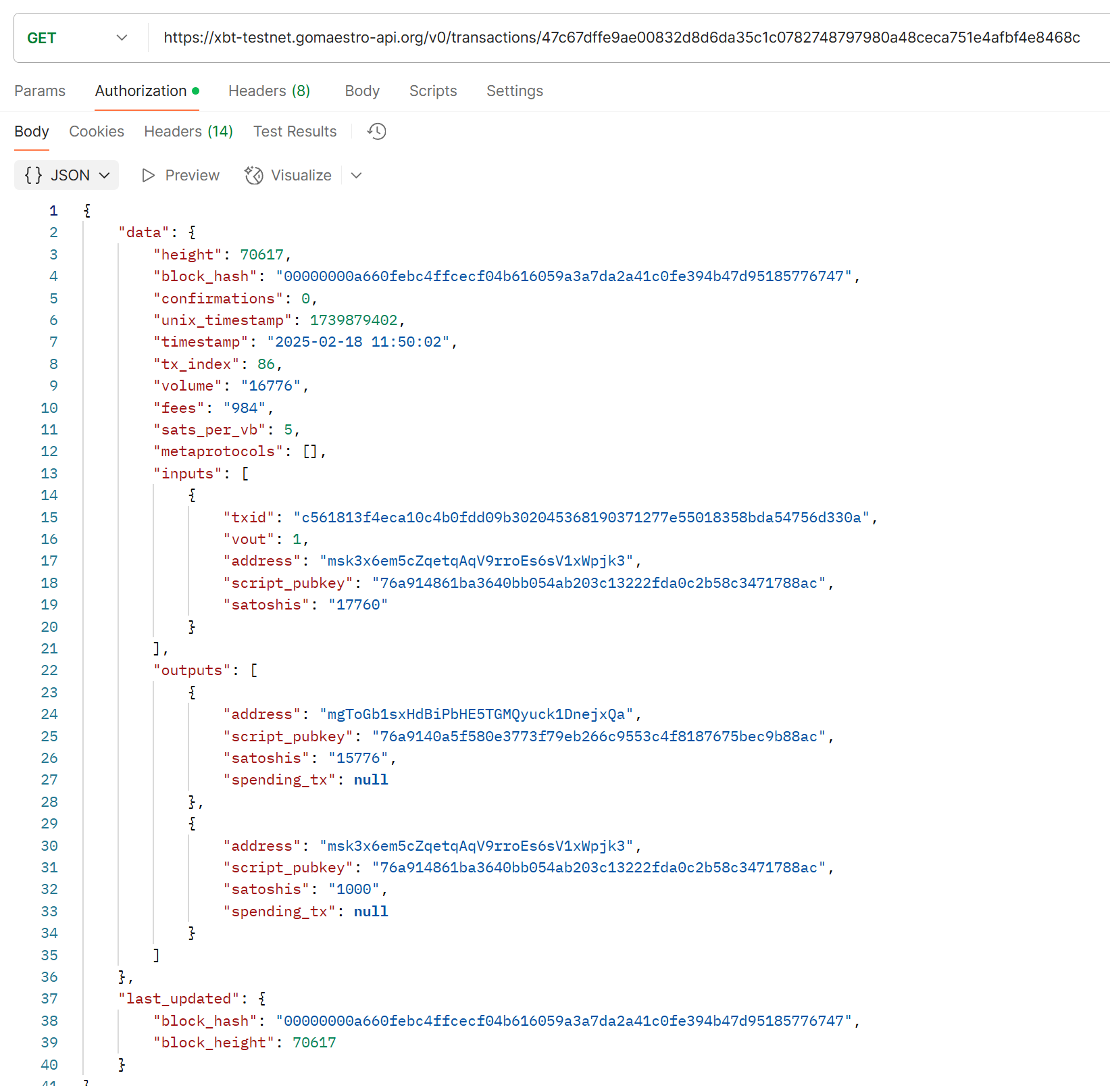
Step 11: Monitor Transaction onchain using Maestro APIs
12